Getting Started in Hamster Village
Buy, collect Seeds, Deposit, Cashier, then Merge — your first clean income cycle.
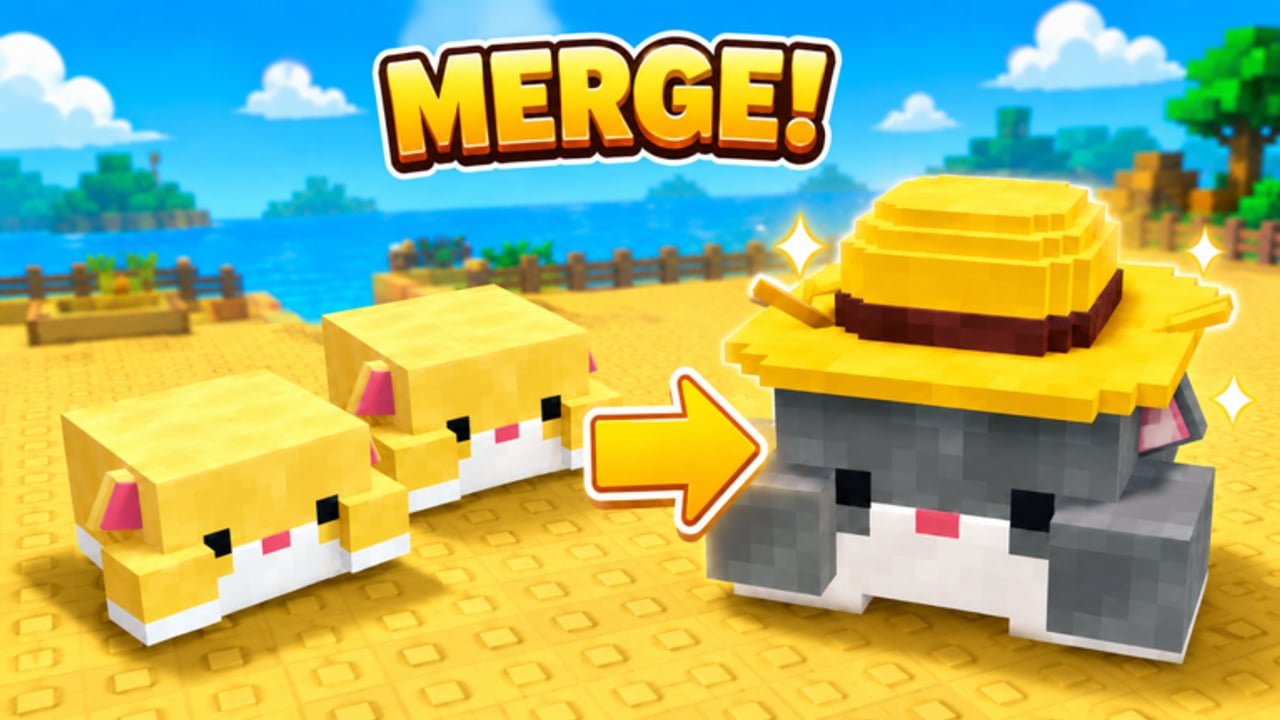
This Getting Started guide is the first-session playbook for Hamster Village on Roblox by Dojo Empire. You will confirm the correct experience, complete one full income cycle, and learn when to touch Merge, Upgrade, and Buy Tier. No rebirth. No mobile diamond codes. Just the tycoon loop that actually appears in-game.
If a search result sent you here from the wrong product, stop and open Roblox Game Link first.
Before you press Play
- Join Place ID 128715403389835 (Universe 10739044772).
- Confirm the creator line shows Dojo Empire.
- Read the experience blurb: Buy Hamsters → Seeds → collect/deposit for Money → Merge higher tiers → unlock more of the collection.
- Expect servers capped at 6 players.
- Ignore diamond/gold “codes” lists — those belong to a different mobile game (Codes Hub).
Keep the Session Checklist open on a second screen if you like ticking boxes.
First-session checklist (do this in order)
1) Buy your first hamster
Find the buy controls. Players commonly see Add1 / Add5 / Add25 / Add100 style buttons. Start with Add1 unless you already have spare Cash from a previous visit. Your goal is not a giant army yet — it is proof that a hamster exists and drops Seeds.
2) Watch Seeds drop
Stay near your hamster. Seeds appear over time. If nothing drops, you may be looking at the wrong plot, waiting too little, or sitting in a broken session after a shutdown — rejoin and retry (Updates Hub).
3) Collect into Carry
Interact with the Seeds so they move into Carry. Carry is the temporary holding value before banking. Walking away with a floor full of Seeds is the most common early mistake.
4) Deposit
Press Deposit. This converts Carry into the pending cash pipeline. If Deposit does nothing, confirm you actually collected Seeds first.
5) Cashier
Press Cashier to collect PendingCash into spendable Cash. Many beginners Deposit forever and wonder why they cannot buy — they skipped Cashier. Deep dive: How to Farm Seeds.
6) Buy again with intention
With Cash in hand, buy another hamster or a small bulk pack. Reinvest early. Volume helps you learn collect routes and fills Merge triples later.
7) Preview Merge (do not spam yet)
When you own three hamsters of the same tier, Merge can combine them into one higher-tier hamster. Higher tiers drop more Seeds. On your first session, merge one triple after you understand the board will not go empty. Full guide: How to Merge Hamsters.
8) Notice Upgrade and Buy Tier
Upgrade improves seed sale rate — valuable once Deposit/Cashier are habitual. Buy Tier / TierUpgrader expands what you can purchase and unlocks more of the collection. Do not slam Buy Tier the second it appears if the new prices empty your wallet. Timing guide: How to Unlock Hamsters.
Mid-session goals (minutes 10–30)
- Keep Seeds off the floor.
- Alternate Deposit and Cashier so Cash keeps moving.
- Build toward another Merge triple without clearing every low-tier dropper.
- Peek at the Tier List Hub mindset: early volume beats chasing a single fancy high tier.
- Sketch collection goals on Hamster Collection.
Video: large-scale farming reference
The embed in the middle of this article shows a confirmed Hamster Village Roblox farming session with very large hamster counts. Use it as motivation and routing inspiration — not as a promise that your first hour will look identical. One video only; we do not invent extra IDs.
Common first-hour failures
| Symptom | Likely cause | Fix |
|---|---|---|
| Cannot buy | Skipped Cashier | Collect PendingCash |
| Carry stuck | Never Deposit | Hit Deposit |
| No Seeds | No hamster / wrong game | Buy / verify Place ID |
| Broke after unlock | Buy Tier too early | Save Cash buffer |
| Empty village | Merged every triple | Keep volume row |
| Chasing codes | Mobile lists | Read Codes Hub |
Optional automation (later)
Once the checklist feels boring in a good way, skim the Scripts Hub and Hidevin Auto Farm. Scripts can Auto Loot, Deposit, Cashier, Buy, Merge, and Upgrade — but they multiply mistakes too. Finish at least one clean manual session first.
After you leave
- Cashier one last time.
- Favorite the experience and like it if you want Dojo Empire’s update signal to stay visible in your feed.
- Bookmark Guides Hub and Official Links.
- Next login, re-run the first five checklist steps before experimenting.
What “done” looks like for session one
You are ready to graduate from this page when you can, without notes:
- Buy a hamster
- Collect Seeds into Carry
- Deposit
- Cashier into Cash
- Explain Merge as 3 → 1
- Know Upgrade and Buy Tier exist
- Know this Roblox game is not the mobile codes title
Hit those marks, then specialize with the sibling guides linked above. Hamster Village rewards calm loops more than frantic button mashing — start clean, then scale.
Frequently Asked Questions
Quick answers to the most common questions.
What is the very first thing I should do in Hamster Village?
Confirm you joined Dojo Empire’s Roblox place, buy a hamster, wait for Seeds, collect them into Carry, Deposit, then Cashier so you have spendable Cash.
Why can’t I spend money after collecting Seeds?
Collecting fills Carry. Deposit moves value into the pending pipeline. Cashier turns PendingCash into Cash you can actually spend on buys, Upgrade, or Buy Tier.
Should I Merge immediately when I get three matching hamsters?
Merge one triple to learn the system, but keep enough low-tier volume so Seeds keep dropping. See the Merge guide for timing details.
Are starter promo codes required?
No. As of October 2026 there are no confirmed Roblox promo codes for this game. Progress comes from the Seed → Cash loop.
Is there a rebirth tutorial for beginners?
No. Hamster Village’s public core loop has no rebirth. Focus on buys, Merge, Upgrade, and Buy Tier instead.
Where do I go after this guide?
Continue with How to Farm Seeds, then How to Merge Hamsters and How to Unlock Hamsters. Use the Session Checklist to keep each run structured.